> ## Documentation Index
> Fetch the complete documentation index at: https://docs.tc.xyz/llms.txt
> Use this file to discover all available pages before exploring further.
# Deposit funds
> Fund your TrueCurrent account with USDC using a direct Injective transfer, the in-app CCTP bridge, or a QR-code bridge deposit.
To trade on TrueCurrent, you need USDC available in your Injective wallet or subaccount. Choose the funding path based on where your USDC currently sits.
Your TrueCurrent address **is** your Injective address (`inj1…`). There is no separate "TrueCurrent deposit address" for direct sends – once USDC is in your Injective wallet, it is ready to trade on TrueCurrent.
***
## Option A: Classic bridge (CCTP)
If your USDC is on Ethereum, Arbitrum, Base, Optimism, or another supported EVM chain that Circle's CCTP supports, you can bridge it directly from the source chain into your Injective wallet without leaving TrueCurrent.
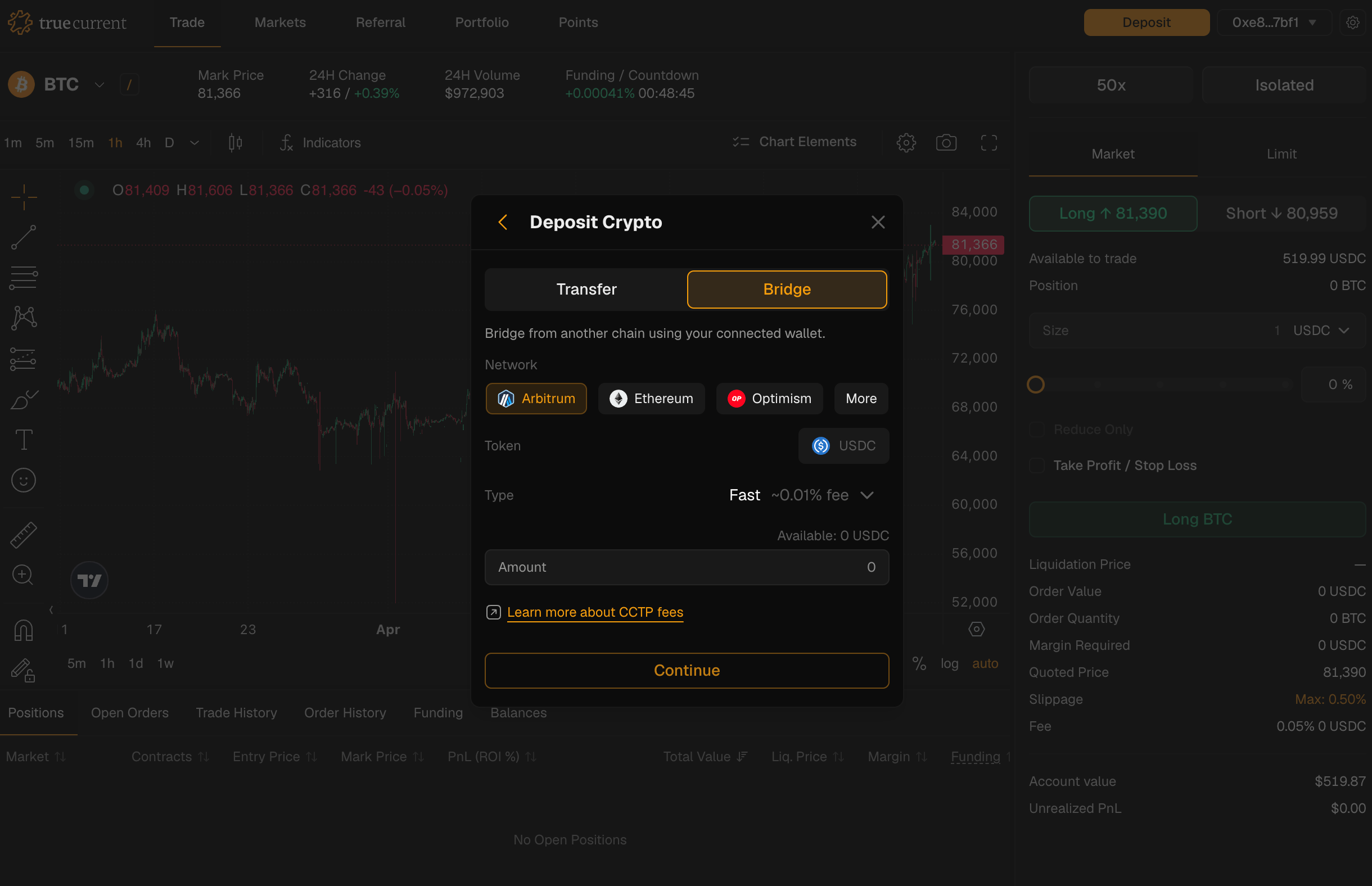 1. Go to [`tc.xyz`](https://tc.xyz) and connect the wallet that holds the source USDC
2. Click **Deposit** in the portfolio panel
3. Choose **Bridge** in the modal
4. Select the source chain
5. Enter the amount and confirm the transaction in your wallet
CCTP burns the USDC on the source chain and mints native USDC on Injective. Your USDC arrives in your TrueCurrent account within a few minutes. TrueCurrent covers Injective gas – you only pay gas on the source chain.
**When to use Option A:** you hold USDC in a wallet you can connect (MetaMask, Rabby, etc.) on a CCTP-supported chain.
***
## Option B: QR-code deposit from any chain
Use the QR-code deposit flow when your USDC is somewhere you cannot connect directly to TrueCurrent, such as a centralized exchange withdrawal page or a wallet you do not want to connect to a dapp.
1. Go to [`tc.xyz`](https://tc.xyz) and connect the wallet that holds the source USDC
2. Click **Deposit** in the portfolio panel
3. Choose **Bridge** in the modal
4. Select the source chain
5. Enter the amount and confirm the transaction in your wallet
CCTP burns the USDC on the source chain and mints native USDC on Injective. Your USDC arrives in your TrueCurrent account within a few minutes. TrueCurrent covers Injective gas – you only pay gas on the source chain.
**When to use Option A:** you hold USDC in a wallet you can connect (MetaMask, Rabby, etc.) on a CCTP-supported chain.
***
## Option B: QR-code deposit from any chain
Use the QR-code deposit flow when your USDC is somewhere you cannot connect directly to TrueCurrent, such as a centralized exchange withdrawal page or a wallet you do not want to connect to a dapp.
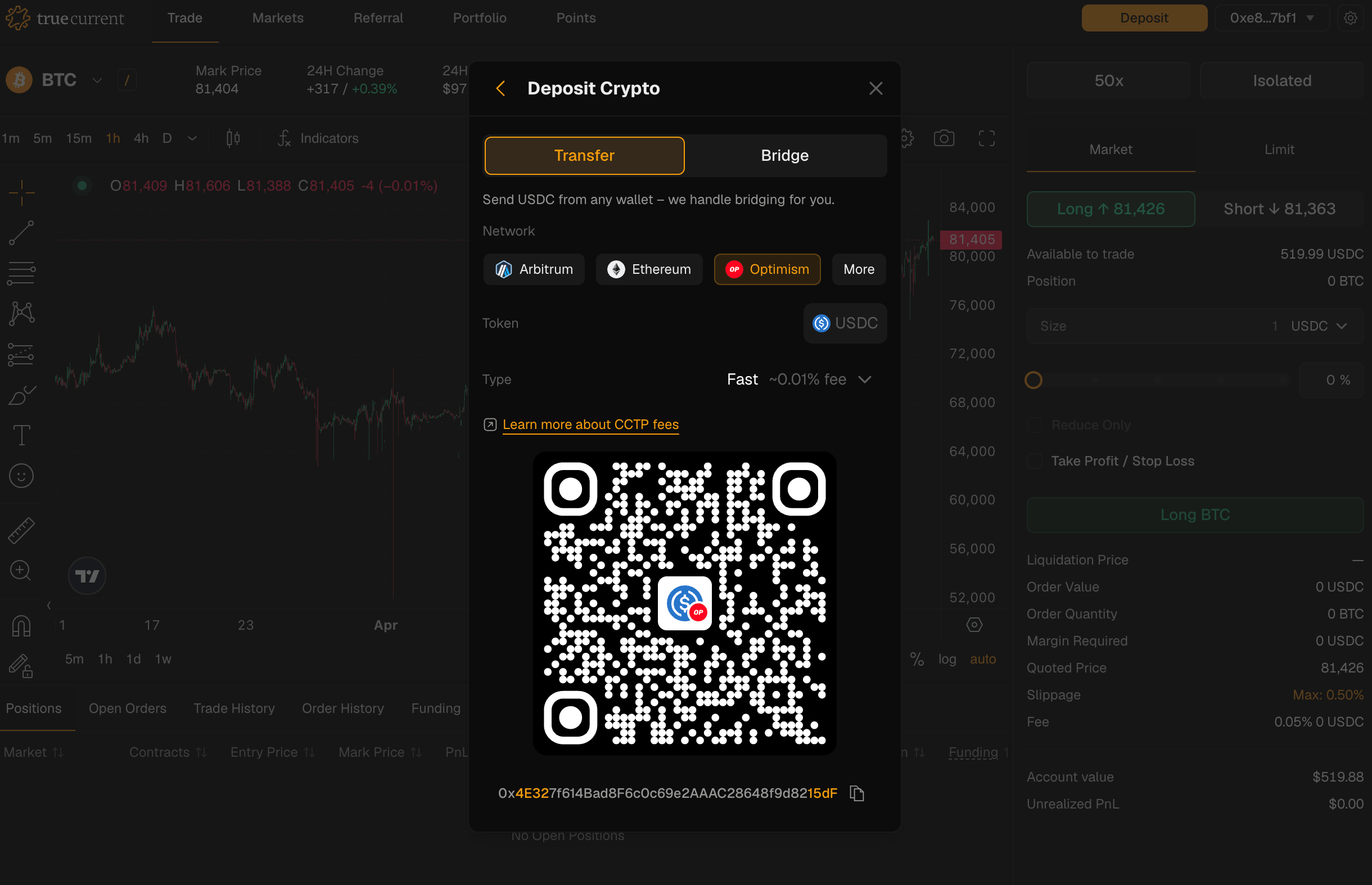 How it works:
1. In the Deposit panel, choose **Transfer** and select the source network (e.g. Ethereum, Arbitrum, Base, Optimism)
2. TrueCurrent generates a source-network deposit address for your TrueCurrent account
3. Send USDC to that address from the source venue or wallet
4. Account abstraction handles the bridging behind the scenes; your USDC arrives in your TrueCurrent account in a few minutes
The deposit address is generated specifically for *your* TrueCurrent account on the source network you selected. Anything sent to it ends up in your Injective wallet. You don't need to connect the source wallet or sign anything from it. Funds arrive in your connected wallet.
Below is an example of how we quickly deposited USDC on Ethereum from our MetaMask wallet to TrueCurrent.
**When to use Option B:**
* Your USDC is on a CEX that doesn't natively support Injective USDC withdrawals – paste the QR-code address into the CEX's "withdraw" form and you're done
* Your USDC is in a wallet on a chain TrueCurrent supports for bridging but that doesn't have a connector you want to install
* You want to deposit from cold storage without exposing the private key to a connected dapp
Send only USDC, only on the source network you selected. Sending a different asset, or sending USDC on a different network, **will not be recoverable** by TrueCurrent.
***
## Option C: Send USDC to your Injective address
If you already hold USDC on Injective, send it to your `inj1…` address from any wallet you control. It will appear in your TrueCurrent account immediately, with no bridging step needed.
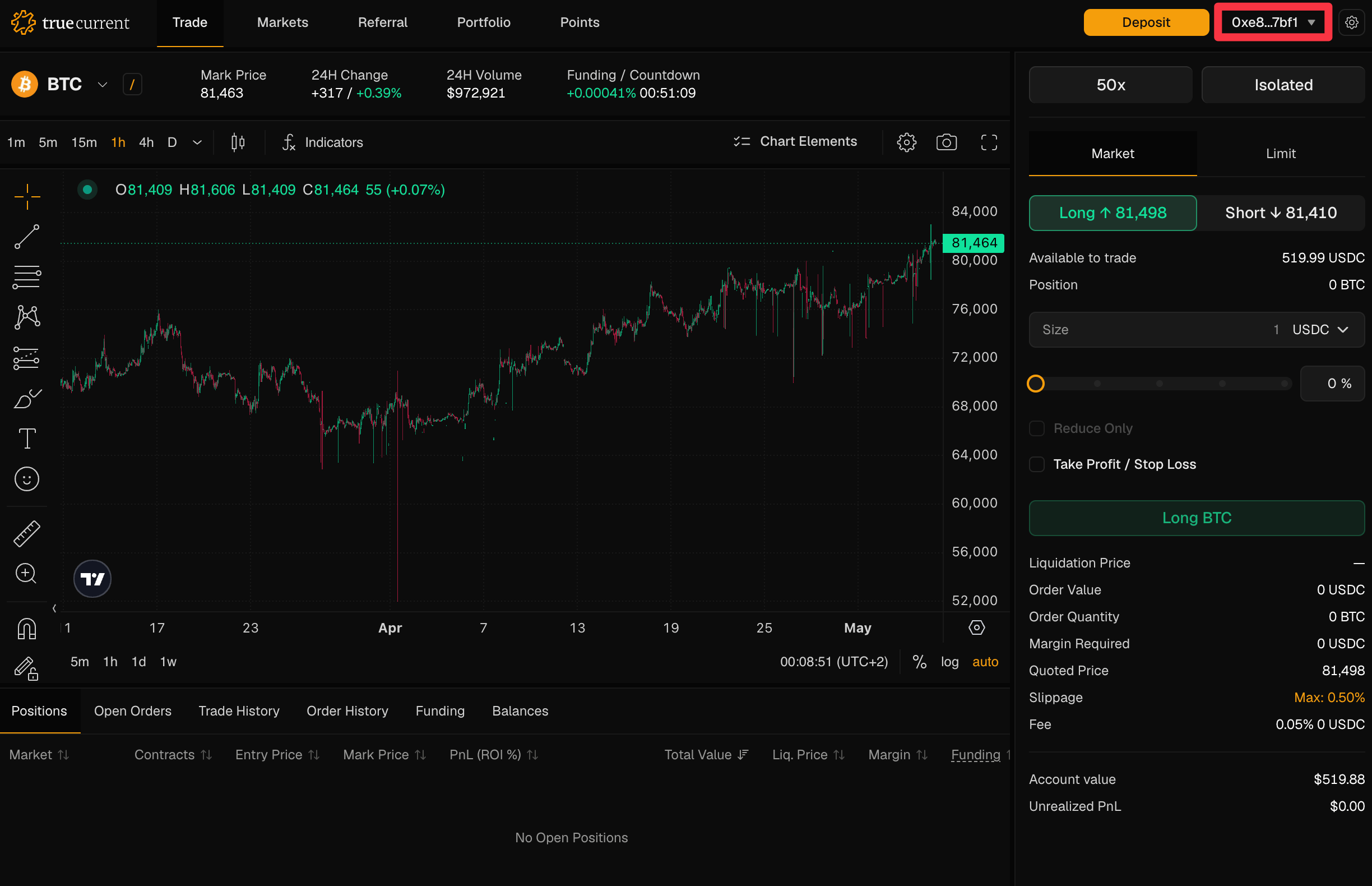
This is the fastest path. It is also the only one that works if your starting USDC is already on Injective. Find your Injective address on the top right of the TrueCurrent application after connecting your wallet.
How it works:
1. In the Deposit panel, choose **Transfer** and select the source network (e.g. Ethereum, Arbitrum, Base, Optimism)
2. TrueCurrent generates a source-network deposit address for your TrueCurrent account
3. Send USDC to that address from the source venue or wallet
4. Account abstraction handles the bridging behind the scenes; your USDC arrives in your TrueCurrent account in a few minutes
The deposit address is generated specifically for *your* TrueCurrent account on the source network you selected. Anything sent to it ends up in your Injective wallet. You don't need to connect the source wallet or sign anything from it. Funds arrive in your connected wallet.
Below is an example of how we quickly deposited USDC on Ethereum from our MetaMask wallet to TrueCurrent.
**When to use Option B:**
* Your USDC is on a CEX that doesn't natively support Injective USDC withdrawals – paste the QR-code address into the CEX's "withdraw" form and you're done
* Your USDC is in a wallet on a chain TrueCurrent supports for bridging but that doesn't have a connector you want to install
* You want to deposit from cold storage without exposing the private key to a connected dapp
Send only USDC, only on the source network you selected. Sending a different asset, or sending USDC on a different network, **will not be recoverable** by TrueCurrent.
***
## Option C: Send USDC to your Injective address
If you already hold USDC on Injective, send it to your `inj1…` address from any wallet you control. It will appear in your TrueCurrent account immediately, with no bridging step needed.
This is the fastest path. It is also the only one that works if your starting USDC is already on Injective. Find your Injective address on the top right of the TrueCurrent application after connecting your wallet.
 ***
## Withdrawing funds
To move funds out of TrueCurrent:
1. Go to **Portfolio** → **Withdraw**
2. Select the destination chain and amount
3. Confirm – funds arrive in your external wallet promptly
Margin locked in open positions isn't available to withdraw until those positions are closed.
***
## Withdrawing funds
To move funds out of TrueCurrent:
1. Go to **Portfolio** → **Withdraw**
2. Select the destination chain and amount
3. Confirm – funds arrive in your external wallet promptly
Margin locked in open positions isn't available to withdraw until those positions are closed.