> ## Documentation Index
> Fetch the complete documentation index at: https://docs.tc.xyz/llms.txt
> Use this file to discover all available pages before exploring further.
# Deposits & withdrawals
> Fund your TrueCurrent account with cash or crypto, and withdraw directly from the mobile app.
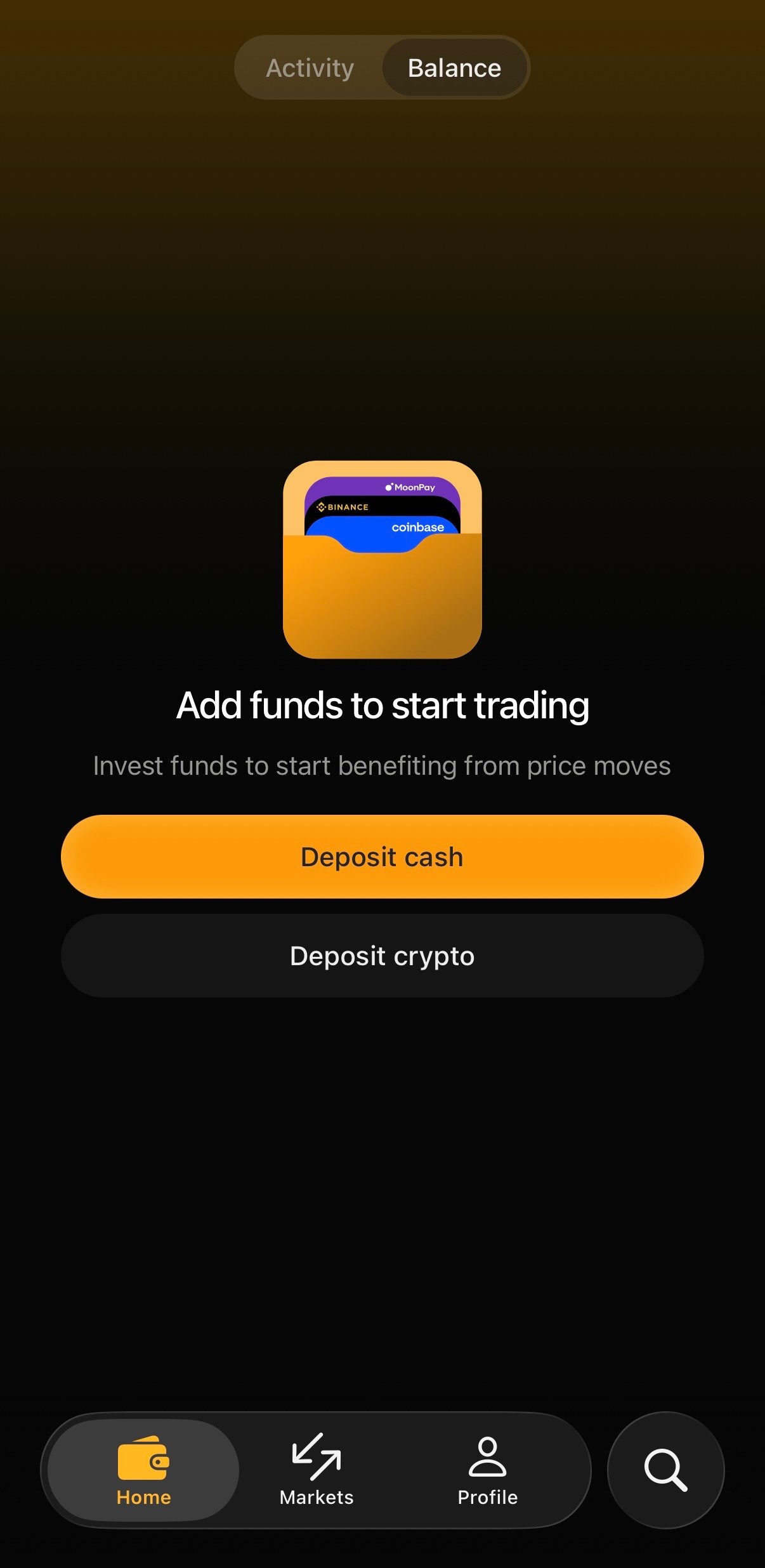
Fund your account in seconds. From the **Home** tab, tap **Deposit cash** or **Deposit crypto**. Alternatively, tap **Deposit** next to your cash balance on the **Profile** screen.
 ## Deposit cash
Buy crypto with a card or transfer from a major provider, directly inside the app:
1. Tap **Deposit cash**
2. Choose a provider: **MoonPay**, **Binance**, or **Coinbase**
3. Follow the provider's steps to pay and confirm
Funds land in your TrueCurrent cash balance once the provider settles. This is the fastest way to get started if you don't already hold crypto.
## Deposit crypto
If you already hold crypto, fund your account directly:
1. Tap **Deposit crypto**
2. Choose a **deposit speed** (see below)
3. Select the **source network**
4. Send to the generated deposit address, or scan the QR code
### Choose a deposit speed
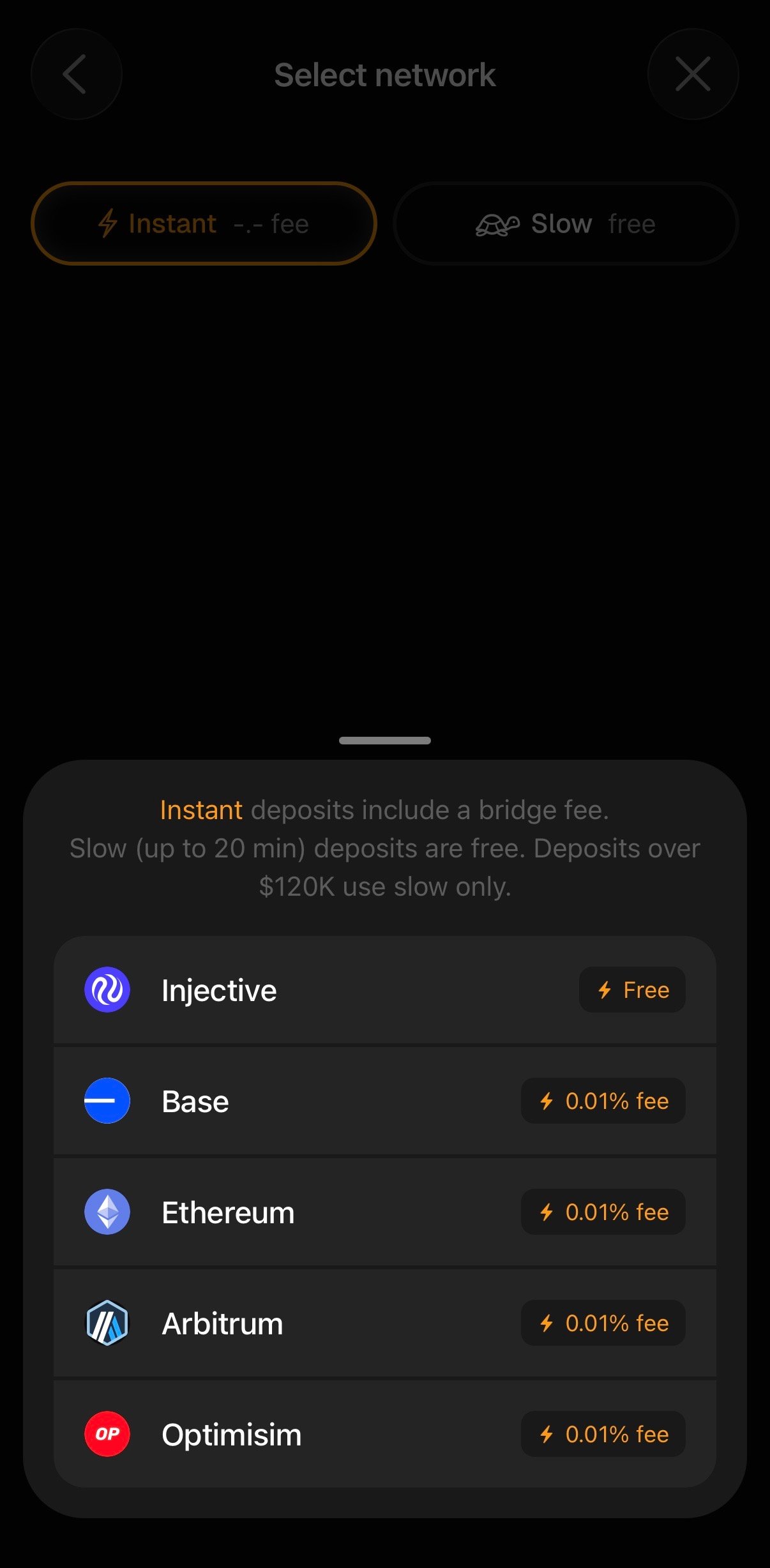
On the **Select network** screen you'll pick between two speeds:
* **⚡ Instant**: your funds bridge over right away. Instant deposits include a small **bridge fee** (currently **0.01%** per network).
* **🐢 Slow**: **free**, and takes up to **20 minutes**.
Deposits over a certain threshold must use **Slow**. At time of writing this is **\$120K**. The app will display this information to you upon selecting **Deposit**.
### Select a network
Pick the network your crypto is currently on:
* **Base**
* **Ethereum**
* **Arbitrum**
* **Optimism**
## Deposit cash
Buy crypto with a card or transfer from a major provider, directly inside the app:
1. Tap **Deposit cash**
2. Choose a provider: **MoonPay**, **Binance**, or **Coinbase**
3. Follow the provider's steps to pay and confirm
Funds land in your TrueCurrent cash balance once the provider settles. This is the fastest way to get started if you don't already hold crypto.
## Deposit crypto
If you already hold crypto, fund your account directly:
1. Tap **Deposit crypto**
2. Choose a **deposit speed** (see below)
3. Select the **source network**
4. Send to the generated deposit address, or scan the QR code
### Choose a deposit speed
On the **Select network** screen you'll pick between two speeds:
* **⚡ Instant**: your funds bridge over right away. Instant deposits include a small **bridge fee** (currently **0.01%** per network).
* **🐢 Slow**: **free**, and takes up to **20 minutes**.
Deposits over a certain threshold must use **Slow**. At time of writing this is **\$120K**. The app will display this information to you upon selecting **Deposit**.
### Select a network
Pick the network your crypto is currently on:
* **Base**
* **Ethereum**
* **Arbitrum**
* **Optimism**
 Send only the selected asset, only on the network you chose. Sending a different asset or using the wrong network **may not be recoverable**.
## Withdrawing
1. Open **Profile** → **Deposit** area, or your balance screen, and tap **Withdraw**
2. Select the destination network and amount
3. Confirm
No protocol withdrawal fees. Funds used as margin in open positions aren't available to withdraw until those positions are closed.
Send only the selected asset, only on the network you chose. Sending a different asset or using the wrong network **may not be recoverable**.
## Withdrawing
1. Open **Profile** → **Deposit** area, or your balance screen, and tap **Withdraw**
2. Select the destination network and amount
3. Confirm
No protocol withdrawal fees. Funds used as margin in open positions aren't available to withdraw until those positions are closed.