

Opening a position
1. Select a market
Choose the perpetual market you want to trade from the markets list. You’ll see the current price, 24h volume, open interest, and funding rate for each market.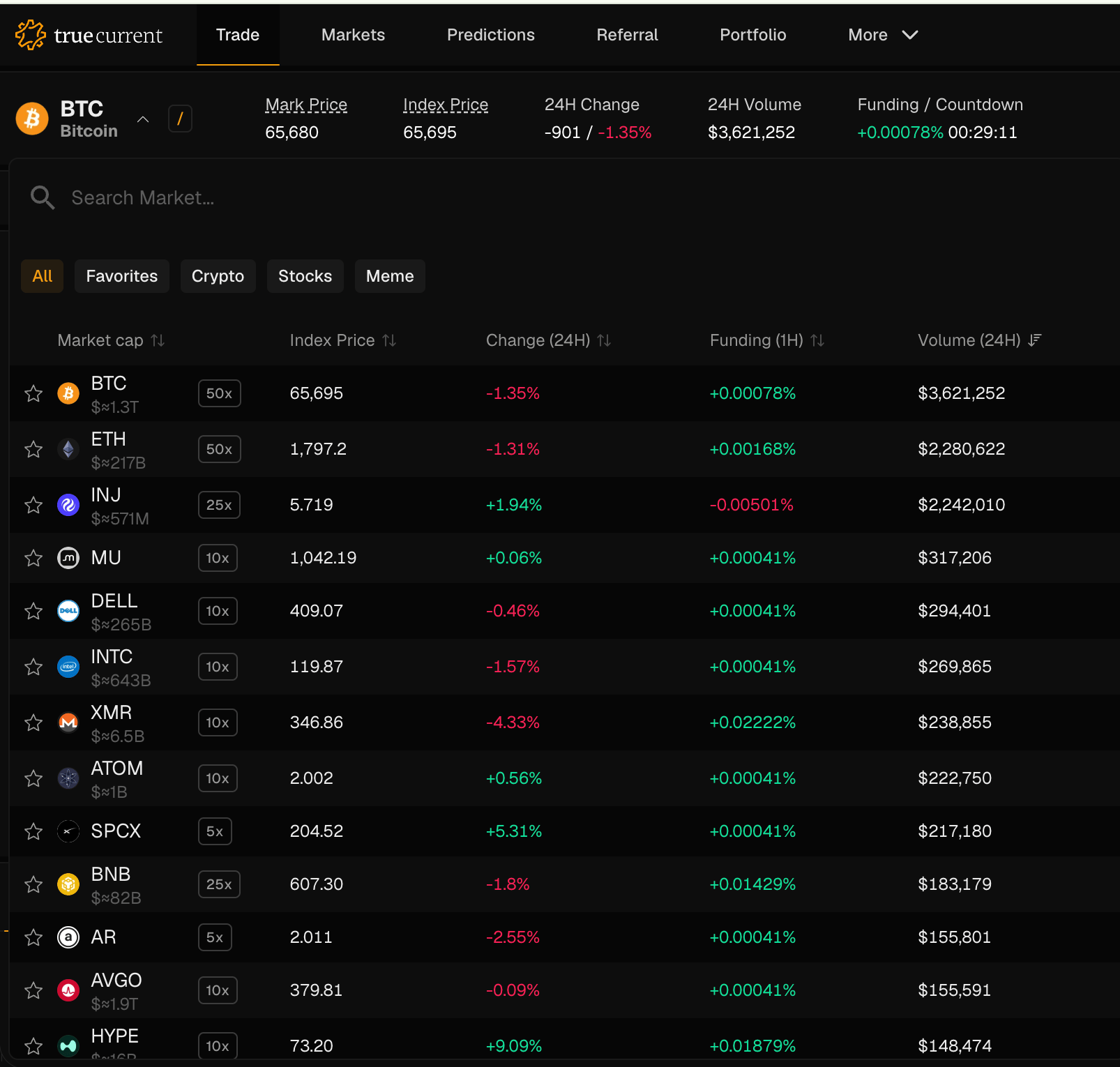
2. Choose long or short
Long – you profit when the price rises above your entry. Short – you profit when the price falls below your entry. The prices shown on the Long and Short buttons are the best quotes received from competing liquidity providers at the time of display. They are indicative of the price you should expect to receive, but are not guaranteed — your actual fill is based on live maker quotes at the moment you confirm.3. Set your margin and leverage
Margin is the USDC collateral you’re putting up. Leverage multiplies your exposure.- 1x–3x – Conservative, good for learning
- 5x–10x – Moderate, for experienced traders
- 10x or higher – High risk, requires active monitoring
4. Set your price tolerance
Your slippage determines how far from the current price you’re willing to fill. A higher slippage means a higher chance of filling; a tighter tolerance gives you more control. For most market conditions, 0.5% works well. In volatile markets, you may wish to set it slightly wider.5. Confirm
Click Trade. TrueCurrent automatically collects prices from institutional liquidity providers, picks the best one, and executes, all in under a second. You’ll see an estimated price and can review your worst-case price before confirming; the trade will never execute at a less favorable price than your limit. Your position opens in under one second.Managing open positions
Your positions appear in the Positions panel. For each position you can see:- Entry price – the price you traded at
- Index Price – the current streamed position reference used for P&L
- Unrealized P&L – your current profit or loss
- Margin and available margin
- Liquidation price – the price at which your position is automatically closed
Margin is collateral for derivatives trades. Available margin is the unused collateral left to open trades or cover losses.

Adding margin
If your position is approaching the liquidation price, you can add margin to push it further away. Go to your position details and click Add Margin.Closing a position
Click Close on any open position. Closing works the same as opening: TrueCurrent finds the best available price and executes automatically. You can close fully or partially. Closed positions settle instantly and released margin returns to your available balance.Partial close
You can reduce your position size without closing entirely. Click Partial Close, enter the quantity to close, and confirm. The corresponding margin is released.Understanding your P&L
Your unrealized P&L is calculated as: For longs:Note: funding payments are also applied to your margin over time. See Funding rates.