

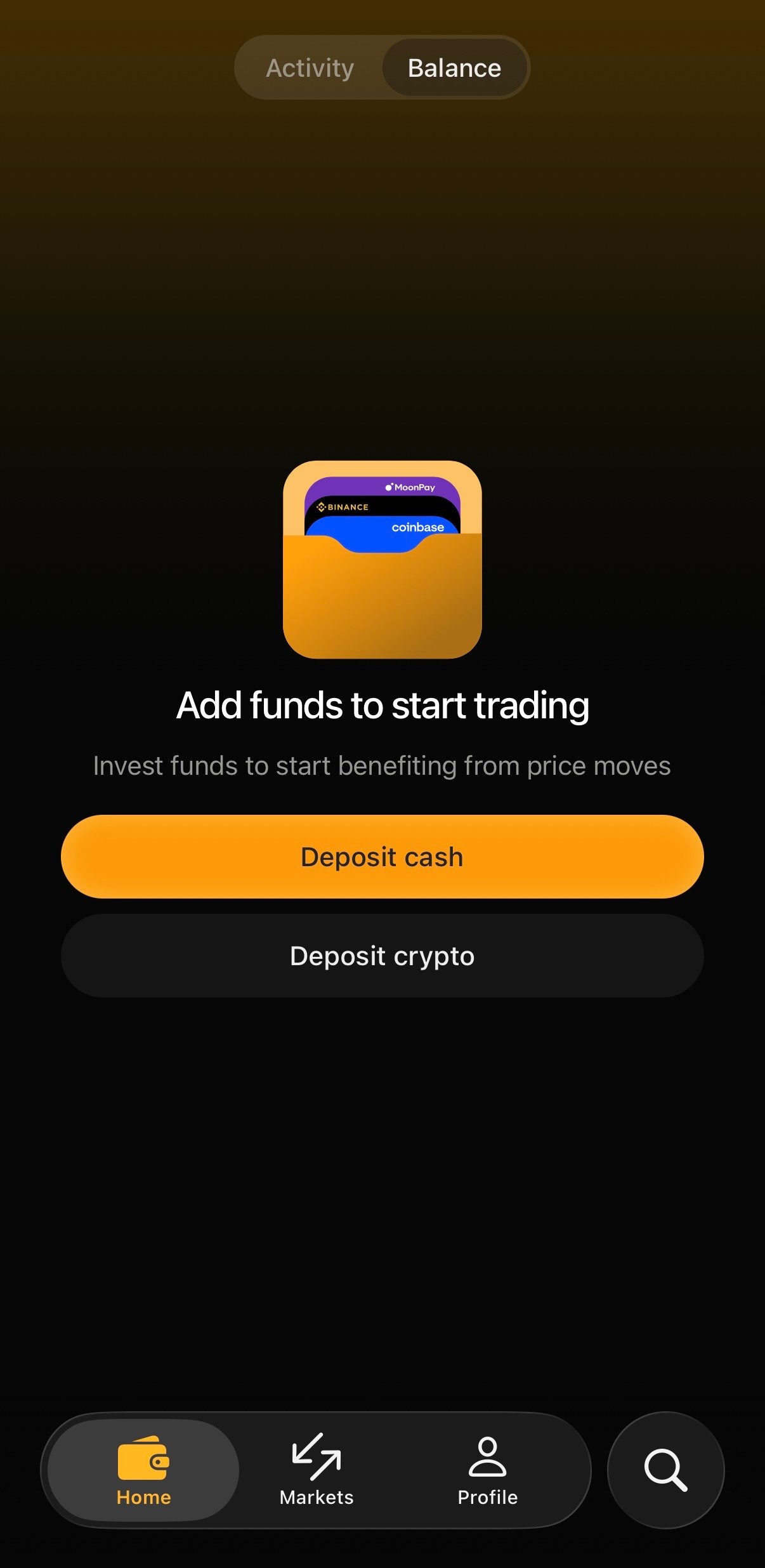
Deposit cash
Buy crypto with a card or transfer from a major provider, directly inside the app:- Tap Deposit cash
- Choose a provider: MoonPay, Binance, or Coinbase
- Follow the provider’s steps to pay and confirm
Deposit crypto
If you already hold crypto, fund your account directly:- Tap Deposit crypto
- Choose a deposit speed (see below)
- Select the source network
- Send to the generated deposit address, or scan the QR code
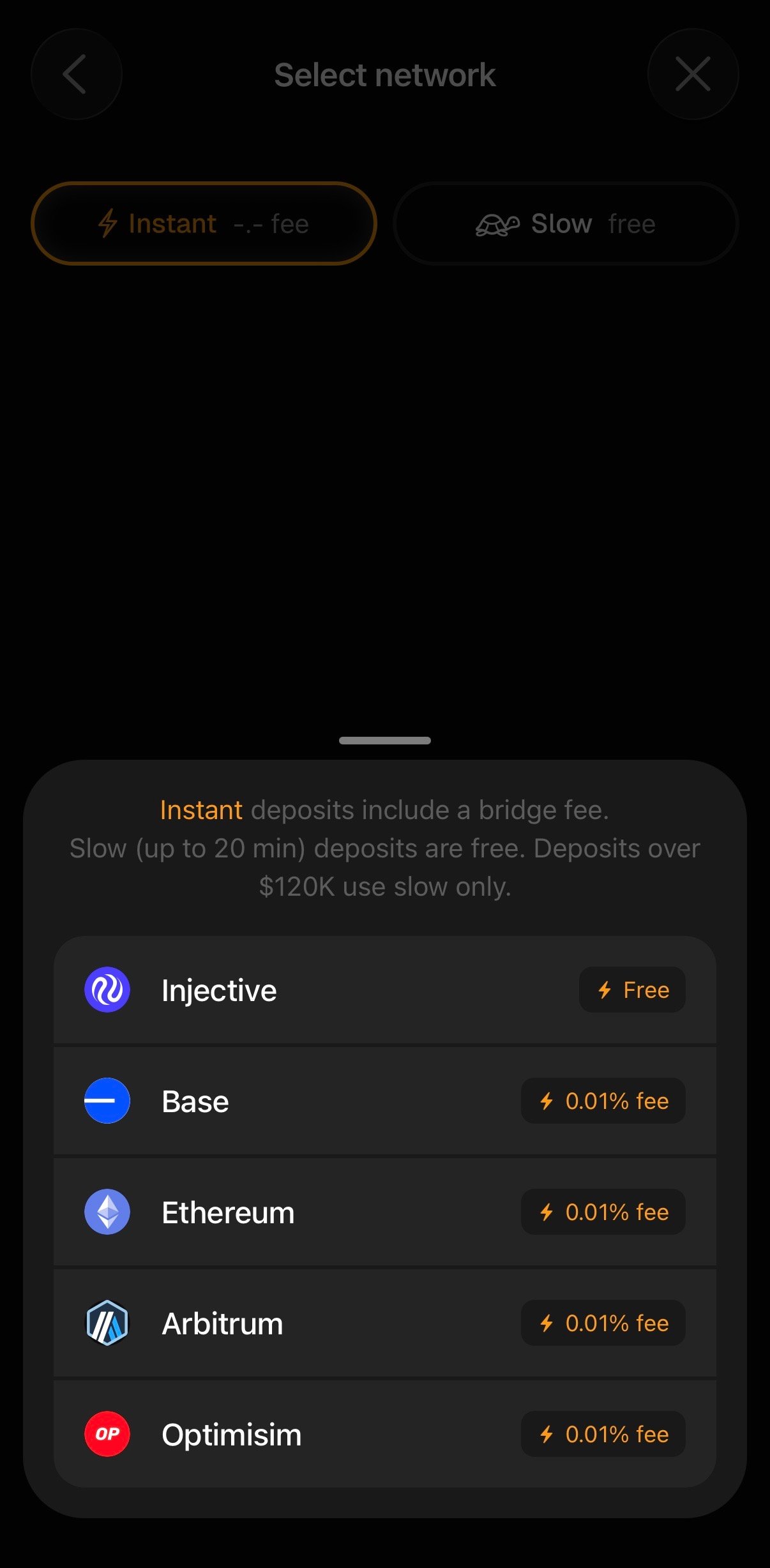
Choose a deposit speed
On the Select network screen you’ll pick between two speeds:- ⚡ Instant: your funds bridge over right away. Instant deposits include a small bridge fee (currently 0.01% per network).
- 🐢 Slow: free, and takes up to 20 minutes.
Deposits over a certain threshold must use Slow. At time of writing this is $120K. The app will display this information to you upon selecting Deposit.
Select a network
Pick the network your crypto is currently on:- Base
- Ethereum
- Arbitrum
- Optimism
Withdrawing
- Open Profile → Deposit area, or your balance screen, and tap Withdraw
- Select the destination network and amount
- Confirm